
Audio to piano
sheet music.
Record your piano, open an audio file, or find a song on YouTube or SoundCloud. Piano Ink turns the music into a score and MIDI, with chords and harmony analysis.
Inside Piano Ink
From listening to playing.
Explore your music as sheet music, falling notes, and files you can take with you.
Select a screenshot for a closer look.
Features
Record or import audio
Use your microphone or open an audio file to start a transcription.
Learn moreAudio to piano score
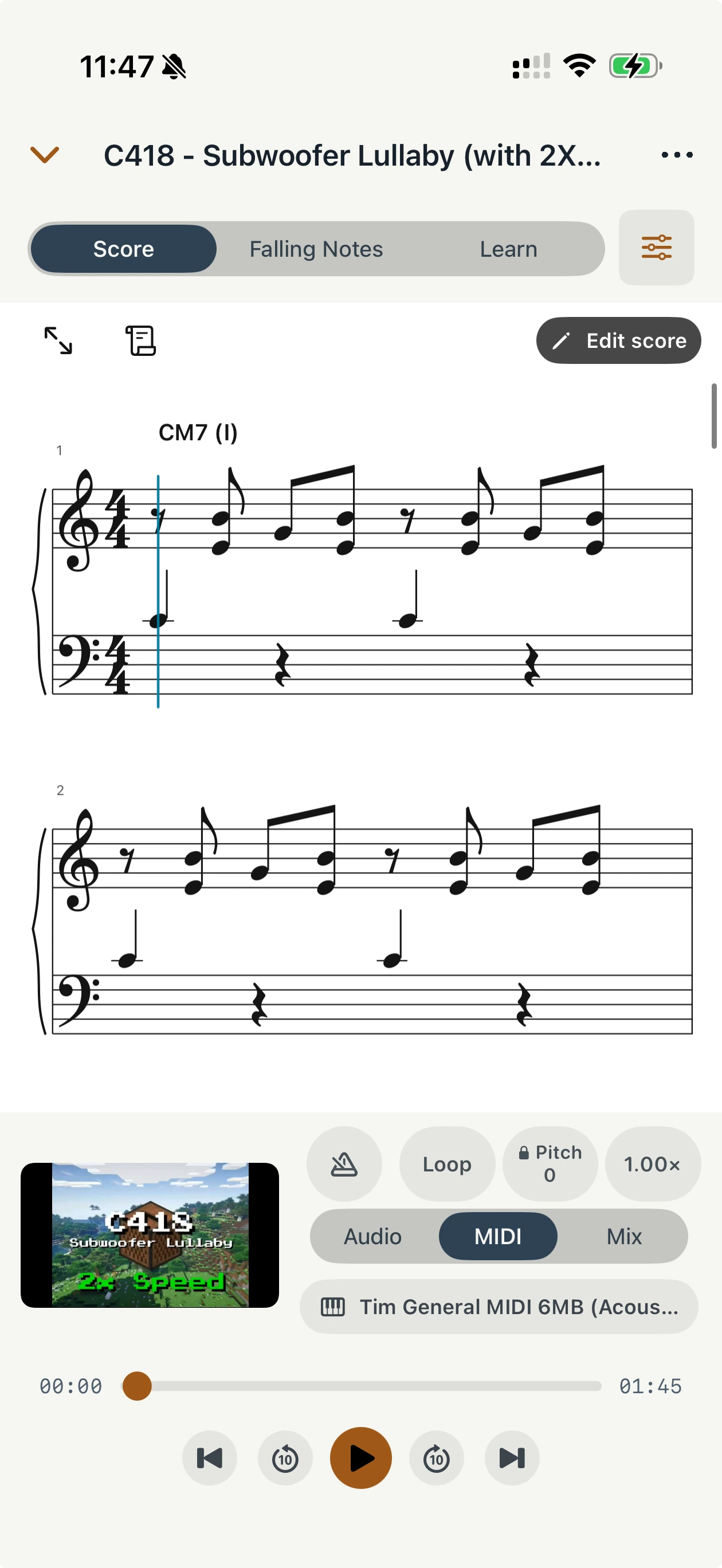
Turn a piano recording into sheet music and MIDI notes.
Learn moreHarmony analysis
See chord symbols and Roman numerals alongside the piano score.
Learn moreFalling notes
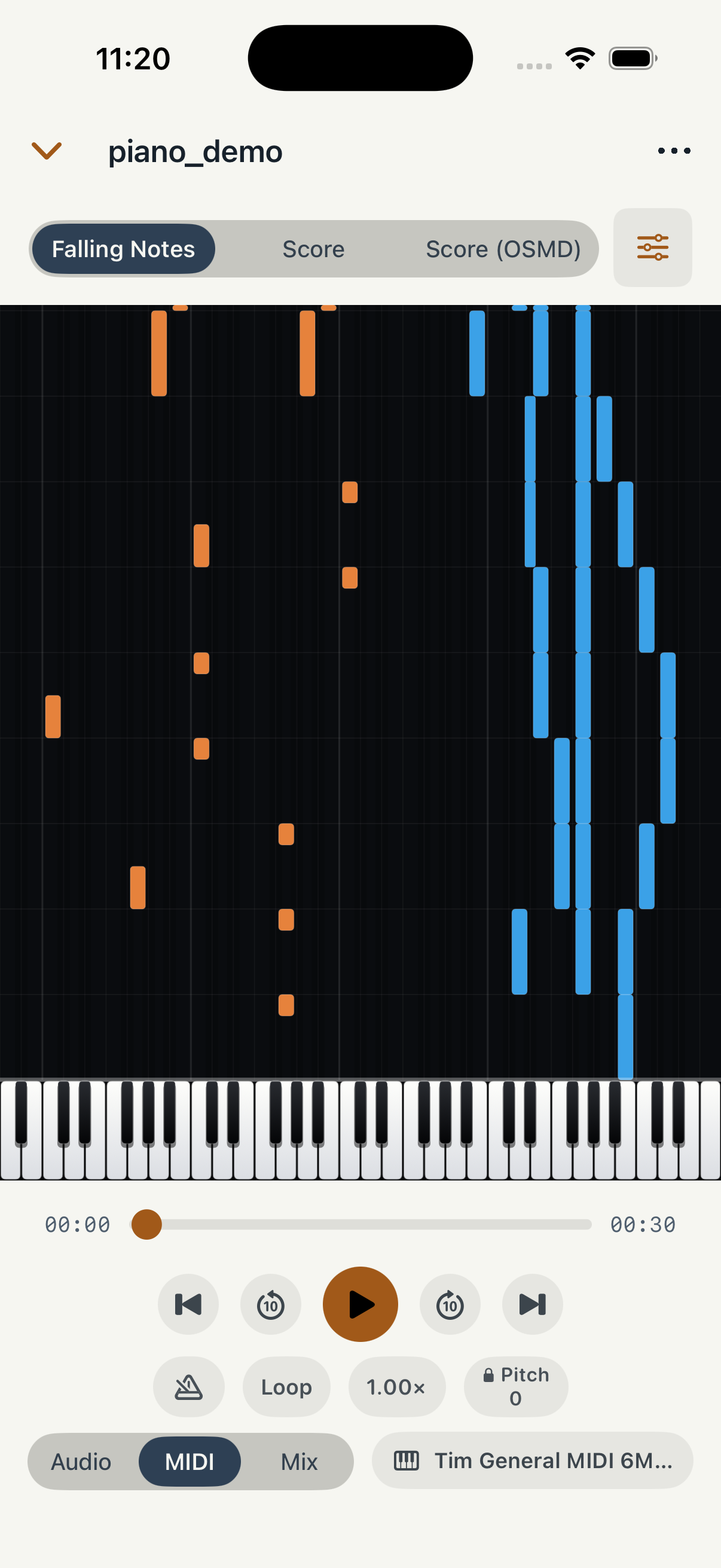
Follow the transcription visually above a piano keyboard.
Learn morePlayback and practice
Adjust playback speed and repeat a passage with loop controls.
Learn morePDF, MIDI and MusicXML
Export a score to print, or continue working in another music app.
Learn moreHow does it work?
Start with an audio file or a recording made with your microphone. Piano Ink turns it into notes you can read, play back, and export.
Notes and harmony
Read the piano score with chord symbols and Roman numerals, or switch to falling notes above a piano keyboard.
Playback and practice
Slow down the music and loop a passage to work through it at your own pace.
Export your music
Save PDF sheet music, MIDI, and MusicXML files with Piano Ink Pro.
For iPhone and iPad
Your next song, on the page.
Piano Ink is coming soon. The App Store page will be available when the app is released.